






















Recognized by Clients, Verified by Real Reviews
Backed by over 9+ years of product development expertise, Wooberly is the trusted choice for founders building ride-hailing apps.
























Taxi Booking Script With 100% Ownership
Wooberly is our ready-made AI-enhanced taxi booking script that helps you launch your ride-hailing business quickly, skipping the build-from-scratch struggle. It includes features like AI translation, surge pricing, and geo-fencing.
We provide a rider app, a driver app, and an admin panel with the best UI & UX. Built with Flutter, so you get a smooth, high-quality experience on both iOS and Android. From custom white-labeling to final app deployment, we support your journey with free technical assistance.
All the features, covered

AI-enhanced voice translation
Send voice messages in any language and have them automatically translated into the rider’s or driver’s preferred language.

Access comfort ride options
Let riders request female drivers, child seats, or wheelchair-accessible vehicles during booking.

RTL support
Set the app to Arabic or other right-to-left languages to serve multiple global markets.

Contact the driver
Riders and drivers can communicate via in-app chat or calls to coordinate pickups easily.

Add multiple stops
Allow riders to add multiple stops to a single trip seamlessly.

Schedule a booking
Enable riders to schedule trips in advance by choosing the date, time, and destination.

Save trip locations
Save frequently used locations like Home or Work for faster bookings.

Set ride destination
Choose destinations by typing an address, selecting a saved place, or picking directly from the map.

Select vehicle categories
Choose from multiple vehicle types such as micro, mini, luxury, bike, and more.

Apply coupon codes
Apply promo codes at checkout to receive instant ride discounts.

Select payment method
Pay using cash, cards, or digital wallets like Google Pay.

Get estimated trip cost
View the estimated fare before confirming the booking.

Push notifications
Receive real-time updates for every ride status, from confirmation to drop-off.

Track driver location
Track the driver’s live location on the map throughout the trip.

Add emergency contacts
Share live trip status with emergency contacts directly through the app.

Cancel the trip
Cancel a ride before it starts and provide a cancellation reason.

Tip the driver
Add a tip for the driver after completing the trip.

Rate the driver
Rate drivers after each journey based on the overall experience.

Edit profile details
Update rider profile details, including image, name, gender, and password.

Pay using a wallet
Use the in-app wallet for payments and top it up using credit or debit cards.

View trip details
Access current and past trip details, including locations, fares, payments, and ratings.

Use preferred currency
Select from multiple currencies such as USD, EUR, AUD, JPY, and more.

Use preferred language
Use the app in your preferred language, including English, French, Spanish, and more.

Switch the app theme
Choose light or dark mode, or sync the app with your device’s default theme.

List vehicle comfort options
Your drivers can specify if they offer extra services like baby seats or wheelchair-accessible vehicles.

Track earnings easily
Drivers can view their weekly and total earnings, including tips, on a dedicated page within the app.

Smart route navigation
Our script finds the shortest routes to riders and provides ETAs and fare estimates for every booking.

Review trip history
Your drivers can access details of all past and current trips, including locations, earnings, and ratings.

Manage payout accounts
Drivers can add multiple bank accounts and choose a default one to receive their ride payouts.

Toggle availability
Drivers use a simple button to go online or offline, so they only receive requests when they are ready to work.

In-app communication
Drivers can call or chat with riders directly through the app to coordinate pickups.

Trip cancellations
The app allows drivers to cancel an accepted booking at any time before the trip officially starts.

Automatic toll inclusion
Drivers can add toll charges to the final breakdown, ensuring the rider pays them along with the standard fare.

Rate the rider
After each trip, drivers can rate their experience with the rider to help maintain service quality.

Self-managed profiles
Drivers can update their own profile photos, names, and passwords whenever they need to.

Push notifications
The app sends real-time push notifications for all ride status updates, from trip confirmation to drop-off.

Global settings
Our app supports multiple languages and currencies, and includes both light and dark themes

Collect commission on every ride
Set a percentage or a flat fee that you earn from every trip completed on your platform.

Enable surge pricing
Automatically increase your fares when demand is high to boost your revenue during peak hours.

Set your service areas
Define exactly where your business operates and manage the status of each location.

Book rides for your customers
Manually add bookings for riders by entering their details and locations directly into the system.

Assign team roles
Add new admin users and give them specific roles to help you manage the platform more effectively.

Track your business stats
Use the dashboard to see your total riders, drivers, booking counts, and overall earnings at a glance.

Control your branding
Update your logos, site name, social media links, and metadata whenever you need to.

Adjust mobile app settings
Manage technical details like force updates and how long drivers have to accept a trip request.

Handle site configuration
Control your backend settings, including your Stripe account, email servers, and push notifications.
Update your website content
Edit the text and images on your landing page, including the banner, footer, and category sections.
Manage your users
View, edit, or delete information for riders and drivers, and approve or block them from your platform.

Organise your fleet
Manage all vehicles used on your platform and group them into categories like Mini, Sedan, or Luxury.

Toggle payment options
Choose which payment methods, like cash, cards, or digital wallets, your riders can use.
Set your pricing
Set specific fares for different vehicle types and assign unique rates for different cities.

Review all bookings
See the full details of every trip, including the rider, driver, vehicle used, and final fare.

Monitor live locations
Track the real-time location of your riders and drivers to see who is active or inactive.

See high-demand areas
Use the heat map to find where most bookings are happening and where your drivers are located.

Check user feedback
Read the ratings that riders and drivers give each other after every completed journey.

Create promo codes
Add and manage discount codes to attract new riders and keep your current ones active.

Send updates to your users
Broadcast notifications to riders, drivers, or both groups at the same time.

Localise your platform
Set your base currency and choose which languages your team can use in the admin panel.

Manage cancellation reasons
Create a list of reasons for riders and drivers to choose from when they need to cancel a booking.

Handle driver payouts
Review payout details for every booking and update the status for cash-based jobs.

Manage site pages
Create and edit pages for your support centre, privacy policy, and legal terms.

Send safety alerts
Add precaution notifications to give riders specific warnings or advice about their bookings.
Check out a fully functional demo of our taxi booking app script
Rider app
See how your riders book rides on both iOS and Android.

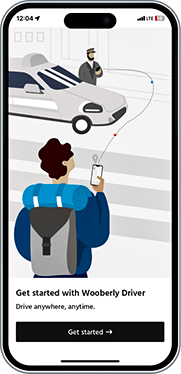
Driver app
Explore the driver's experience across both mobile platforms.
Web panel
Explore the web panel of the admin


Book a personalized demo with our Marketplace Expert
What can you expect in this call?
Walk you through the full flow for the rider app, driver app, and admin panel in Wooberly.
Explore the must-have features that help taxi booking startups launch faster.
Show you how Wooberly can be customized for your business model and city regulations.
Discuss custom integrations, including payment gateways, maps, and third-party services.
Explain how Wooberly stays compliant with App Store and Play Store guidelines.
Stop settling for just "good enough.”
Most people start with an MVP. You’re starting with a powerhouse. Get the taxi booking script that’s ready to scale from day one.
Built to Last, Not Just to Launch.
Total Ownership.
You get 100% of the source code of our taxi booking app script. No encryption, no hidden locks.
Ready to Scale.
10 users or 10,000. Our tech stays fast while your business grows. Uses real numbers to show growth.
Free Lifetime Upgrades.
We keep the tech fresh. You get every new update at zero cost, forever.
Sleek UI/UX.
Design that looks expensive. Keep your riders booking and your drivers happy with a smooth interface.
No Hidden Tiers.
You get every feature, even for the basic package of Wooberly.
We’ve Got Your Back.
From white-labeling to app store deployment, we handle the tech so you can handle the business.
Start your taxi business with the right plan

Sale! $999
Any Product for Just $999 Limited to the First 20 Customers!
Professional
- Single domain license
- Tech support for 3 months
- Updates for 6 months
Enterprise
- Multi-domain license
- Tech support for 6 months
- Unlimited updates
Expert support at no extra cost

White-labeling
Personalize the Taxi booking script with your brand's logo, content, and design.

Server installation
We install all the server dependencies and deploy the script on the server.

App submission
We launch your taxi booking app to both the App Store and Play Store.

App rejection support
If you face app rejection, get full resubmission support to ensure approval.
How we help launch your taxi business online
Make the script yours.
Choose our free white-labeling or request custom features to build your app underyour brand
Test for a smooth ride.
We check every part of your platform to ensure your users have a bug-free experience from the very first trip.
Go live on the stores.
We take care of the tech work and launch your branded apps on the App Store and Google Play for you.
The technology powering our taxi booking script
 React
React React
 Flutter
 Flutter
 GraphQL
 GraphQL
 Socket.IO
 Socket.IO
 Firebase
 Firebase
 MySQL
MySQL MySQL
 React Apollo
 React Apollo
 Sequelize
 Sequelize
 Google Map
 Google Map
 Redux
Redux Redux
Hear from founders like you
“As we know, we're in production, we're in live, it's because of you and because of us, and because of a great collaboration. So we are proud to make such a great product with you, we want to thank you for your time and enthusiasm. We always have a lot of difficulties and challenges, and you always do your best and find great solutions for us. It is really nice. We appreciate it. It's only the beginning.”
- Oleg, Porto



“I was planning for a small project with a limited budget; my good luck drove me to RadicalStart. Amazing how they are, very nice, professional, perfection-oriented people, and well-organized. All I had to do was tell them what I wanted and they brought my dreams to reality with the most exceptional results. All I can say now is, my work and my projects, are gonna be exceptional.”
- Asaad, SKYNORTH


“My partner and I had a great idea for business. As it turns out, you guys had that product we wanted and needed. We got to you by a friend's recommendation and we instantly clicked and we were very happy that you could provide us the tool that we wanted and needed for our business. We had a great team and they're helping us a lot. They have a very good response.”
- Jorge, Eventasis


“I know during this time, RadicalStart is showing exceptional adaptability to market changes; always maintaining the commitment to the quality. We want to thank everyone who is a part of RadicalStart for their work and dedication. Without your effort and passion, this achievement wouldn't be possible. On behalf of all of us at Trineo app, we express our deep gratitude for your outstanding product and service.”
- Michael Leppe, Trineo app


“I started my project with you guys this year. I want to say this has been a very amazing experience and you are all very professional, and very talented, and you have helped me to design my app the way I want with so many customization. Thank you so much. I wish you to become the most successful company in India and the world. Thanks, Gowtham for your amazing ongoing Support.”
- Usman, Cheetah


Have questions? We're here to help
Frequently Asked Questions
A taxi booking script is a ready-made software solution that allows entrepreneurs to launch their own on-demand ride-hailing business, similar to Uber, Lyft, or Bolt.
Our Wooberly is built with Flutter, which is a way to build high-quality, cross-platform apps that feel native, perform well, and are easier to maintain as the product grows.
That’s why it’s popular for products that expect scale, frequent updates, and long-term evolution, not just quick MVPs.
The process is simple:
- Request: A user books a ride via the app, and GPS matches them with the nearest driver.
- Ride: The rider tracks the driver in real-time and can communicate through in-app chat.
- Pay: Once the trip ends, the system processes payment via card, wallet, or cash.
- Rate: Both parties rate the experience, while you manage everything from the admin panel.
Yes. Wooberly is a ready-made solution that is 100% customizable, so you can adapt it to build any kind of ride-hailing or ride-sharing platform.
Please note: once you modify or tamper with the source code on your side, we will no longer be able to provide technical support for the product.
- Rider and driver mobile apps for both Android and iOS
- Admin web panel
- Free technical support, including:
- White-labeling/rebranding
- Server installation
- App launch and app rejection support
- Bug fixes
- Product updates
Note: The duration of bug fixes and product updates depends on the plan you choose.
We provide a one-time, free installation and submission of your rider and driver apps to both the Google Play Store and Apple App Store.
This submission help is offered as a free service. Your payment covers only the product’s source code files.
If, during the review process, Google Play or the App Store requests additional changes such as unique design elements or custom functionality, we can implement these for you at an extra cost.
Please note that Apple’s App Store has strict review guidelines and prefers apps with unique designs and features. Apps that are too similar to existing ones may be rejected under Policy 4.3 (Design).
You can review their rules here:
To reduce the risk of rejection, we strongly recommend customising your app. You can either work with our team or use your own developers for this.
Regardless of your choice, you will receive the complete source code for both the website and the apps, giving you full ownership and control.
With unlimited updates, you’ll continuously receive new features, improvements, and bug fixes.
If your plan includes unlimited updates, we’ll provide you with the latest source code files each time we release a new version.
Please note: while updates themselves are free, services like website reinstallation, mobile app reinstallation, and resubmission to the app stores will incur additional charges.
If your project has no custom changes, we can simply replace the old files with the latest version.
If we’ve implemented custom changes for you, we’ll first compare the existing code with the new version and then carefully apply the necessary updates.
Product updates themselves are completely free. However, if code comparison and manual integration are required, we may charge for the time spent applying those updates.
Please contact our team for a detailed estimate and next steps.
If you or your own team have modified the source code, we will provide you with the latest source files, but we will not be able to offer technical support for code that has been altered on your side.
Yes, you can still receive updates, depending on the plan you’ve purchased. If your plan includes unlimited updates, you’ll continue to get all future updates even after your tech support period has ended.
- Text updates: We’ll help you update or adjust text content within the product.
- Colour adjustments: We’ll assist with basic color changes to match your brand.
- Static content translation: We’ll support translation of static content for up to 3 languages, with a maximum of 2 revision rounds per language.
- Product guidance: We’ll clarify any questions you have about using and managing the product.
- Bug fixing: For critical issues, we’ll provide a clear resolution timeline. Non-critical bugs will be addressed in our regular product updates.
Tech support does not cover:
- Issues related to installation or setup on your local machine
- Reinstallation of the script
- Problems arising from incorrect use of Git or not following our setup instructions
- Issues caused by modified code or customisations done by you or your team
- Any new custom features or changes that require additional development effort
Your free technical support period starts from the date of purchase.
After your purchase, you can reach our technical support team exclusively via email. Phone support is not available.
Our technical support team responds to all queries via email. During business days, you can typically expect a reply within 24 to 48 hours, depending on the number of requests in the queue.
You can continue working with our team by purchasing additional support, which will be billed separately.
- Updating theme colors, text, fonts, and favicon on the web admin panel and landing page
- Changing the app package name / Bundle ID
- Updating the app name
- Updating the app icon
- Adjusting the app theme colors to match your brand
- Integrating Firebase Crashlytics and FCM
We’ll install the script on your server one time at no additional cost. Any further installations after the first one may incur an extra fee.
We can proceed with Let's Encrypt SSL (Let's Encrypt is a free, automated renewal, and open certificate authority).
If you wish to install another SSL provider, there will be an additional cost for the SSL installation.
If your app is rejected by the App Store or Play Store, we’ll identify the issue, fix it, and resubmit the app to help you get approved.
In some cases, the required changes may involve additional customization. When that happens, those customizations will be billed separately.
Yes, bug-fix support is included in every plan. The only difference is the duration of the support period:
- Starting package: 3 months of bug-fix support
- Higher package: 6 months of bug-fix support
We highly recommend using AWS or DigitalOcean. The script will run smoothly on any Ubuntu-based hosting server that meets the following minimum requirements:
- Operating System: Ubuntu 24.04
- Storage: 50 GB (expandable)
- RAM: 4 GB (expandable)
- Database: MySQL 8.0
- Access: SSH with root user access
Note: The server should be a fresh, plain setup with no pre-installed configurations such as Apache, any database, or other services.
A single-domain license lets you use the product for one business on a single domain. Example: mybusiness.com
A multi-domain license allows you to use the product for multiple businesses across multiple domains.
Example: mybusiness1.com, mybusiness2.com, and more.
Static content refers to the fixed text stored in language files for your web and mobile apps (for example, labels, buttons, and menu text). This text doesn’t change based on user input.
Dynamic content refers to text entered by users or admins and stored in the database (for example, vehicle category names, location names, etc.). This content can vary from one business or user to another.
Our free tech support includes translation of static content only, for up to 3 languages, with a maximum of 2 revision rounds per language.
We always stay updated!
Check out what we have updated on every release.
Released: Jul 15, 2026
- Bug fixes and performance improvement
Released: Feb 26, 2026
- Bug fixes
Released: Feb 17, 2026
- Wooberly V3.4 brings smarter features, better security, and a more polished experience for both riders and admins.
- AI-Powered Voice Translation - Riders and Drivers can now speak in their own language and have it instantly converted to text within the chat page. The AI accurately transcribes voice input based on the user's selected app language, making communication faster, easier, and accessible to a global audience.
- PayPal Integration - Wooberly V3.4 now supports PayPal as a payment option, one of the world's most trusted and widely used payment platforms. Riders can complete bookings securely with their PayPal account, giving your app a more flexible and internationally recognized checkout experience.
- Dynamic Mobile App Content Management - Admins can now update mobile app information and support contents directly from the admin panel. No coding or developer involvement needed, saving time and reducing maintenance costs.
- Admin Dashboard Redesign - The admin panel has been completely revamped with a modern, clean interface. The improved layout and navigation make it significantly easier to manage bookings, user data, and app configurations.
- Library & Framework Upgrades - Core technologies and third-party libraries have been updated to their latest versions. This keeps Wooberly secure, compatible with current platforms (iOS & Android).
- Bug Fixes - Several reported issues have been resolved in this release. The app is now faster, more stable, and delivers a smoother experience for both drivers and riders.
Released: Sept 30, 2025
- Driver Wallet Management - Admins can now control driver wallet and ride eligibility through a wallet system with configurable minimum balance requirements and flexible payment type settings.
- OTP Verification for Trips - Added 4-digit OTP security feature that riders share with drivers to verify and start trips, ensuring both parties are present before the ride begins.
- Enhanced Push Notifications - Tap any notification to navigate directly to the relevant screen in the app, such as active rides or payment details, for faster and more intuitive navigation.
- Upgraded to Latest Flutter Libraries - Updated to the newest library versions for significant performance improvements and enhanced overall platform efficiency.
- Bug Fixes and Performance Enhancements - Resolved minor issues identified during testing for a smoother, more reliable user experience.
Released: Feb 16, 2025
- Bug fixes